Peppas House Controls, HUD & First Inputs
Learn movement, interact prompts, audio setup, and the sanity meter before your first babysitting shift.
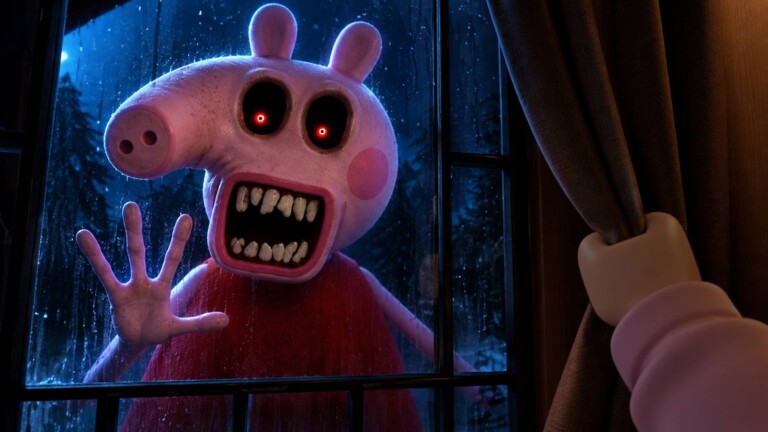
Peppa’s House (Anomaly) uses standard Roblox movement with a horror-focused HUD. Players who join cold often miss interact prompts, mute audio by accident, or ignore the sanity meter until anomalies already own the house. This page is the input and interface briefing that Getting Started assumes you skim. Pair it with Anomalies once you can move and hear the house properly.
Scary Pink Creatures built a social horror lobby (up to about 30 players). Clear controls and loud audio matter more than fancy macros. Stay away from injector tools discussed on Scripts; you do not need them to babysit.
PC defaults that matter
On keyboard and mouse, expect the familiar Roblox baseline:
- WASD — walk through rooms, hallways, yard, and chase loops.
- Mouse — look and aim the camera toward drawings, cells, and gates.
- Space — jump when a prop or step needs clearance.
- Shift (if enabled in your Roblox settings) — sprint during the Scary Peppa minute.
- E / proximity prompt — the usual Roblox interact key for drawings, machine buttons, jail releases, kitchen water, and doors.
Always confirm the on-screen prompt before you mash. Verity’s machine stage punishes wrong presses; the parents warn that bad buttons can drop people into collapse scenarios. If two prompts overlap in a crowded lobby, back up one step so the correct prompt wins focus.
Rebind only if you already know your muscle memory. Mid-chase rebinds are how good ending attempts die with the gates almost open. See the Good Ending Guide for why that minute is a movement puzzle, not a settings menu.
Mobile and touch
On phone or tablet, use the on-screen stick to move and the camera drag to look. Interact appears as a button when you stand in range of a drawing, cell lock, machine control, or kitchen prop. Thumb placement matters: keep one thumb free for the interact button during Verity and jail stages so you are not sliding past prompts while panicking.
Mobile players should:
- Raise media volume before the first anomaly window.
- Disable silent-switch surprises on iOS; many tells are audio-first.
- Lower graphics only if frame rate collapses—stable camera beats ultra shadows during chase.
- Stand still for half a second when a prompt appears so the touch target does not drift.
If your lobby mixes PC and mobile, assign drawing pickup to whoever has the cleaner interact aim. The Drawings & Verity Guide explains why four clean pickups beat four rushed misses.
Audio is a control, not flavor
Creators and showcase runners recommend high volume. Peppa’s House sells dread with footsteps, wrong dialogue timing, doorbell friends who should not be there, and chase stingers. Treat your volume slider like a bind you check every session:
- Headphones help with direction during the final hunt.
- Party chat should not bury game audio; leave headroom.
- If a teammate calls an anomaly you cannot see, trust ears first, then verify with eyes.
Muted runs feel easier until the basement monster or Scary Peppa arrives. Then they feel unfair. Fix audio before you blame the chase timer described in the Full Walkthrough.
Sanity meter and HUD reading
The sanity meter is your soft-fail pressure gauge. Anomalies, wrong rooms, and sustained panic drain composure. You do not need a spreadsheet—just a habit:
- Glance at sanity after every major tell (wrong painting, wrong Peppa pose, basement scare).
- Leave a bad room once you have the information you need instead of farming jump scares.
- In co-op, call “sanity low” the same way you call “Peppa wrong” so the group slows down.
Sanity is covered in more story context on Getting Started and Anomalies. Controls-wise, your job is simply to keep the meter readable: do not cover the HUD with oversized chat, and do not play in a tiny window where the bar disappears.
Lobby and social inputs
With large servers, callouts beat chaos:
- Use short phrases: “doorbell anomaly,” “drawing two,” “cells clear,” “gates soon.”
- Pin the official experience from Links so nobody joins a copycat place.
- Agree roles before Verity: one drawing runner, one parent-rescue lead, one kitchen/machine fixer when the route splits.
Emotes and dance macros do not help the password reset. Save the jokes for after the good escape on All Endings.
Chase-specific control tips
When Scary Peppa starts the roughly one-minute hunt:
- Pre-pick a loop you already walked in the quiet phase.
- Sprint in straight corridors; cut corners you know are safe.
- Avoid camera spins that lose the gate landmark.
- Do not open settings, shop, or emote wheels mid-timer.
- When gates open, walk through immediately—hesitation is a control failure, not bad luck.
Practice that loop on a fresh run using the Walkthrough order so your fingers already know the path when the hunger monologue starts.
Accessibility and comfort options
Roblox client settings (FOV, shift-lock, graphics level, voice) remain available. Prefer comfort over spectacle: a stable 60 FPS on medium graphics helps more than max shadows when Peppa fills the frame. If motion makes you sick, lower camera shake where the client allows and take breaks between anomaly-heavy attempts.
This wiki cannot replace official Roblox accessibility docs, but it can remind you that Peppa’s House is short enough to pause between attempts without losing a twenty-hour RPG save.
Quick pre-flight checklist
- Official place open (see Links).
- Volume up, headphones preferred.
- Interact key or mobile button tested on a harmless prop.
- Sanity meter visible.
- Teammates briefed on Getting Started roles.
- Drawings plan ready via Drawings & Verity.
- Escape goal clear via Good Ending.
Master the inputs once, then spend your attention on Peppa’s face, Verity’s instructions, and the gate timer—not on hunting the interact button while the house laughs at you.
Frequently Asked Questions
Quick answers for Peppas House players.
What is the interact key in Peppa's House?
On PC, use the standard Roblox proximity prompt (often E). On mobile, tap the on-screen interact button when you stand in range of drawings, cells, machine controls, or kitchen props.
Do I need custom keybinds?
No. Default Roblox movement and interact are enough. Rebind only if you already have muscle memory; never rebind mid-chase.
Why does this guide stress volume?
Many anomaly and chase cues are audio-first. Creators recommend loud audio so wrong dialogue, footsteps, and stingers land before visual confirmation.
Where do I learn the story objectives after controls?
Read Getting Started, then the Full Walkthrough and Drawings & Verity guide for the password reset chain.
Are scripts required for better controls?
No. Injectors risk bans and are unnecessary for movement, prompts, or the good ending. See the Scripts hub for caution notes.